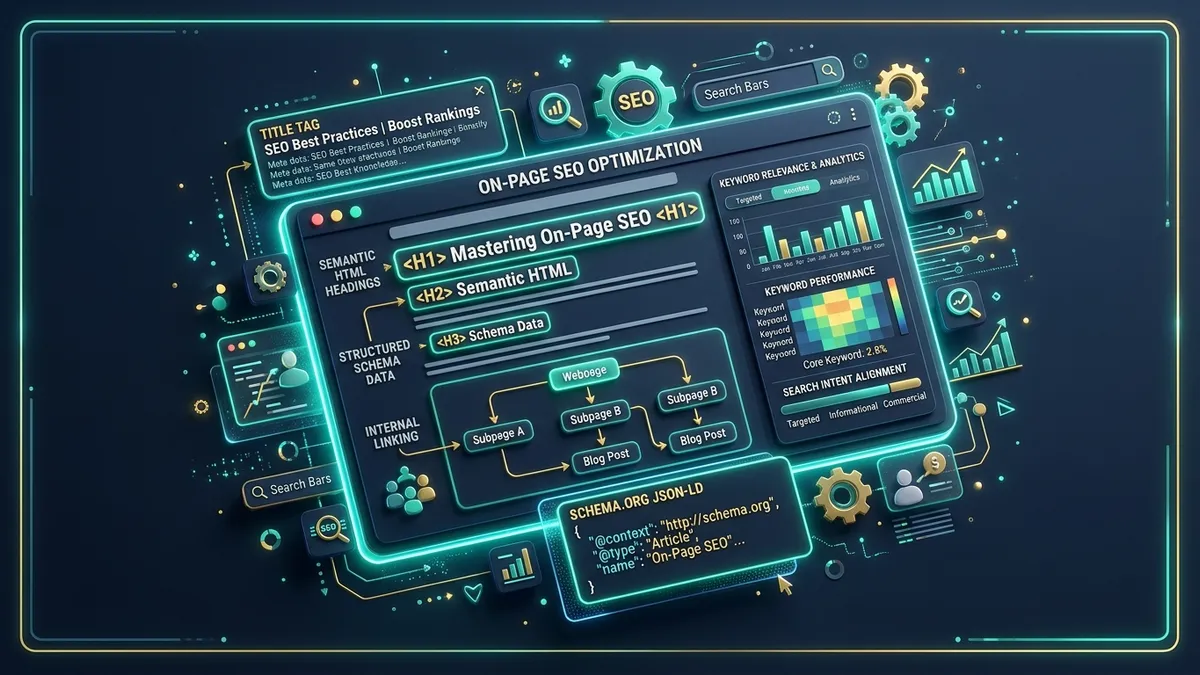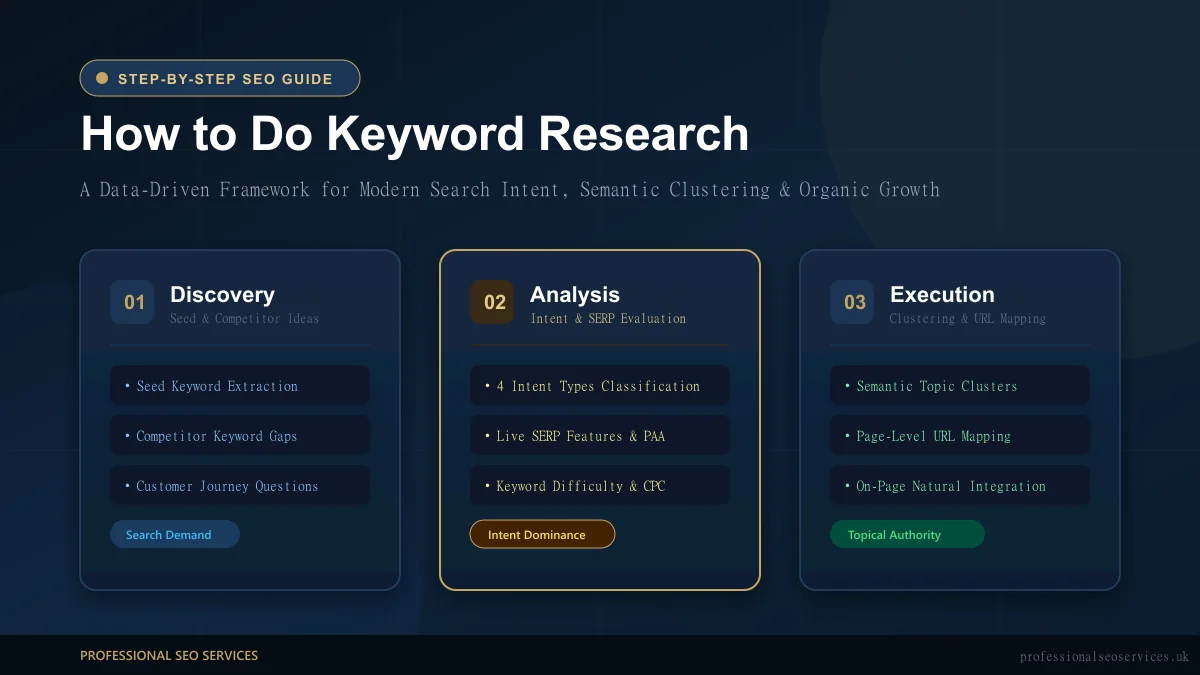
An on-page SEO checklist is the definitive quality assurance framework that bridges editorial creativity, semantic search architecture, and technical performance across every URL on your website.
In the competitive digital ecosystem of the United Kingdom, achieving sustained organic prominence requires far more than merely writing engaging articles and hoping search engines take notice. Algorithms have evolved from primitive string-matching mechanisms into sophisticated semantic networks driven by deep learning, natural language processing (NLP), and neural retrieval engines. Whether you run an established national brand based in London, an innovative enterprise in Manchester, or a specialist consultancy serving regional markets across the British Isles, every individual URL must communicate crystal-clear topical relevance, demonstrable E-E-A-T credentials, and frictionless user experience.
Without a structured audit workflow, marketing teams inevitably miss essential optimisation levers. Crucial meta tags are overlooked, heading hierarchies become fragmented, image assets slow page loading to a crawl, and internal linking opportunities slip through the cracks. This comprehensive guide delivers a rigorous 25-point on-page SEO checklist engineered specifically for modern search landscapes. It covers timeless on-page foundations alongside cutting-edge seo best practices for 2026, including conversational query optimisation, generative AI search citation formatting, and Core Web Vitals alignment.
To truly understand how algorithmic crawlers evaluate your pages from discovery through to final ranking calculation, study our deep-dive analysis on how Google's search engine works. And if you seek senior-led technical execution to systematically outpace market competitors, discover how our dedicated team at Professional SEO Services builds bespoke growth engines for forward-thinking commercial organisations.
Table of Contents
- 1. What Is On-Page SEO? A Quick Refresher
- 2. Why You Need an On-Page SEO Audit Checklist
- 3. The Complete 25-Point On-Page SEO Checklist (2026)
- Items 1–2: Keyword Research & Semantic Entity Mapping
- Items 3–5: Metadata & URL Architecture
- Items 6–7: Heading Hierarchy & Content Outlining
- Items 8–10: E-E-A-T Content Quality & Strategic Keyword Usage
- Items 11–13: Contextual Linking & Image Optimisation
- Items 14–16: Structured Schema Markup & Technical Signals
- Items 17–20: Core Web Vitals, Speed & Readability
- Items 21–23: SERP Feature Dominance & UX Navigation
- Items 24–25: AI Engine Retrieval & Analytics Verification
- 4. Download Your Free On-Page SEO Checklist Template (Interactive CSV & Table)
- 5. On-Page SEO Best Practices for UK Websites
- 6. Common On-Page SEO Mistakes to Avoid
- 7. Frequently Asked Questions (FAQ)
- 8. Conclusion & Next Steps
What Is On-Page SEO? A Quick Refresher
On-page SEO (also known as on-site SEO) is the discipline of optimising visible content, underlying HTML code, structural architecture, internal hyperlinks, and page-level user experience signals directly within a single URL. Its primary objective is twofold: enabling search algorithms to rapidly parse, index, and contextualise the page's topical authority, while simultaneously delivering an exceptional, frictionless experience for human readers.
Unlike off-page SEO—which revolves around acquiring backlinks, digital PR mentions, and external brand citations—on-page optimisation gives you absolute, 100% control over every single byte of data published on your domain. It serves as the prerequisite foundation for all search visibility; without immaculate page-level optimisation, even the strongest backlink profile cannot compensate for an ambiguous topic structure or a poor search intent match.
Modern on-page SEO is inherently multidimensional. It incorporates editorial depth, entity relationships, semantic keyword clusters, structured JSON-LD data, and technical page experience metrics. For a full, exhaustive breakdown of every technical component, architectural philosophy, and ranking mechanism, read our comprehensive guide to on-page SEO. Furthermore, you can review official webmaster guidance directly within Google's SEO documentation to cross-reference algorithmic standards.
Why You Need an On-Page SEO Audit Checklist
Why do so many talented digital marketing teams, content strategists, and business owners fail to achieve consistent top-three organic rankings? In the overwhelming majority of cases, the failure does not stem from a lack of effort or budget. It stems from inconsistency.
Without a standardised on-page audit framework, content creation quickly becomes haphazard. A copywriter might craft brilliant, insightful prose but completely neglect proper subheadings (H2s and H3s) or fail to target related People Also Ask queries. A web developer might launch a visually stunning landing page but leave out Open Graph meta tags, introduce layout shifts that demolish Core Web Vitals, or forget to configure a self-referencing canonical tag. The cumulative result is wasted effort, unindexed pages, and stagnant organic traffic.
Implementing a rigorous, repeatable on page seo audit checklist transforms on-page optimisation from guesswork into a precise, scalable science:
- Eliminates Costly Blind Spots: Guarantees that essential technical, editorial, and accessibility signals are reviewed before any URL goes live.
- Enforces Consistent Quality Across Teams: Establishes a unified standard of excellence that content creators, freelance writers, developers, and agency partners can execute seamlessly.
- Saves Countless Hours of Diagnostic Work: Utilizing a standardised seo checklist template saves marketing teams hours of post-publication troubleshooting and rework.
- Maximises ROI on Content Investments: Ensures that every article, service landing page, and commercial resource ranks for its full cluster of secondary keywords and conversational AI queries.
The Complete 25-Point On-Page SEO Checklist (2026)
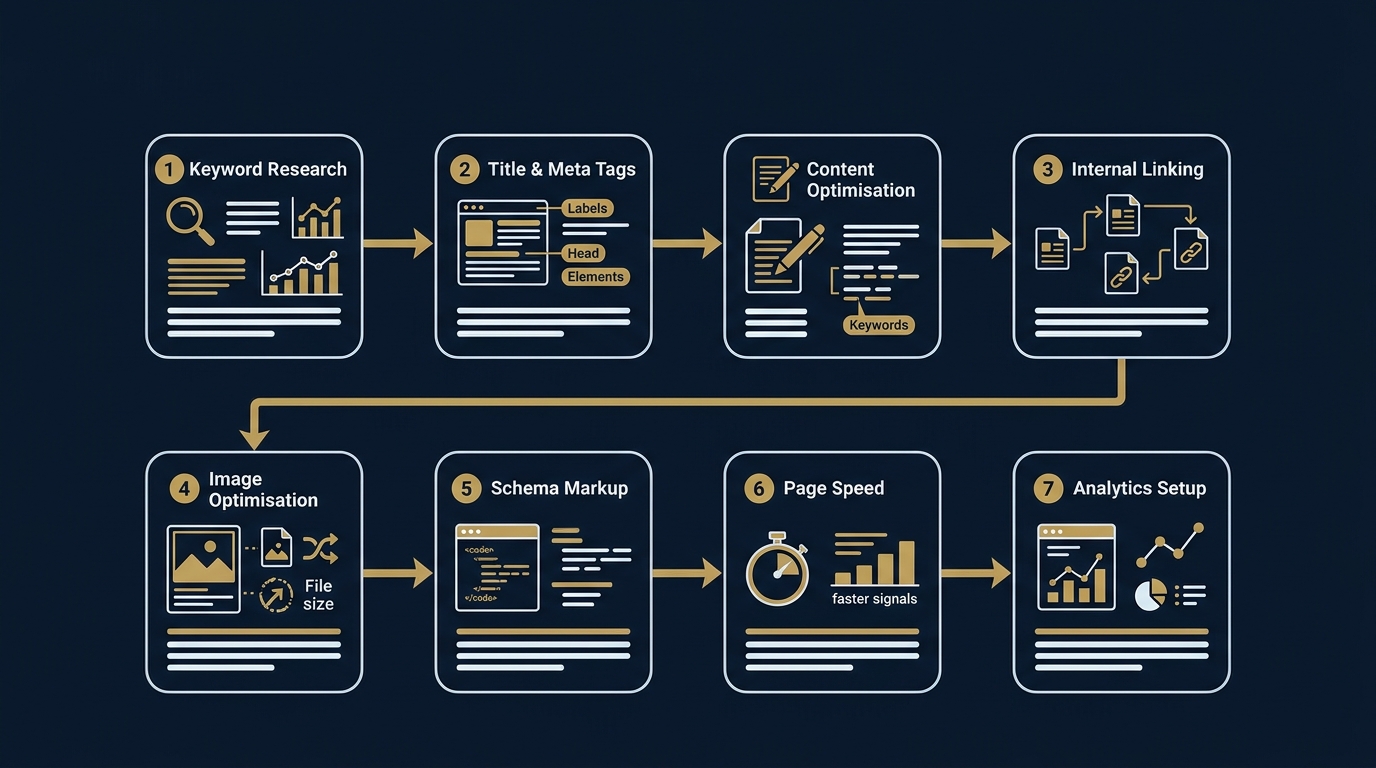
Below is our definitive, battle-tested 25-point on-page SEO checklist. Each checklist item provides granular, actionable guidance reflecting modern ranking factors, algorithmic natural language understanding, and user experience requirements.
1. Identify Primary Keyword and Search Intent
Every successful webpage begins with a singular, unambiguous topic focus. Attempting to rank a single URL for three disparate concepts dilutes topical relevance and confuses search algorithms. Before drafting a single word of copy, identify one high-intent primary keyword that accurately encapsulates the core subject matter of the page.
Equally critical is deciphering search intent. Search engines categorise every search query into four primary intent classifications:
- Informational Intent: The user wants to learn, troubleshoot, or understand a concept (e.g., “what is on-page SEO” or “how to audit website metadata”). These queries require long-form guides, comprehensive definitions, step-by-step instructions, and visual frameworks.
- Commercial Investigation Intent: The user is comparing options, reviewing software, or evaluating agencies before committing (e.g., “best SEO audit tools UK” or “on-page SEO agency reviews”). These require comparison tables, feature matrices, pros and cons lists, and independent proof points.
- Transactional Intent: The searcher is primed to take immediate action, make a purchase, or book a consultation (e.g., “hire on-page SEO specialist London” or “buy SEO audit package”). These require focused landing pages with prominent calls-to-action, pricing transparency, and trust badges.
- Navigational Intent: The user is seeking a specific brand, portal, or website destination (e.g., “Professional SEO Services blog”).
In the UK market, search intent often involves subtle regional nuances. For example, British consumers frequently search using terms like “solicitor” rather than “attorney”, “flat to rent” rather than “apartment for lease”, and expect commercial solutions priced in Pounds Sterling (£ GBP) with UK delivery terms. To master this foundational discipline, review our detailed keyword research guide.
2. Map Semantic Keyword Variations
Modern search engines no longer evaluate webpages by calculating crude keyword repetition percentages. Instead, advanced neural language models—such as Google's MUM and Gemini—rely on entity-attribute-relationship graphs and Natural Language Processing (NLP) to gauge whether an article covers a topic with genuine domain expertise.
To build a rich semantic profile, map out Latent Semantic Indexing (LSI) concepts, related named entities, and co-occurring technical phrases that naturally belong within the subject area. For instance, when optimising an article on “on page seo audit checklist”, your content must organically incorporate related entities such as “canonical tags”, “Core Web Vitals”, “schema markup”, “crawling and indexing”, “Google Search Console”, “internal link equity”, and “search intent alignment”. When algorithms detect these interconnected entities, they assign a significantly higher topical completeness score to your URL.
3. Optimise Title Tags
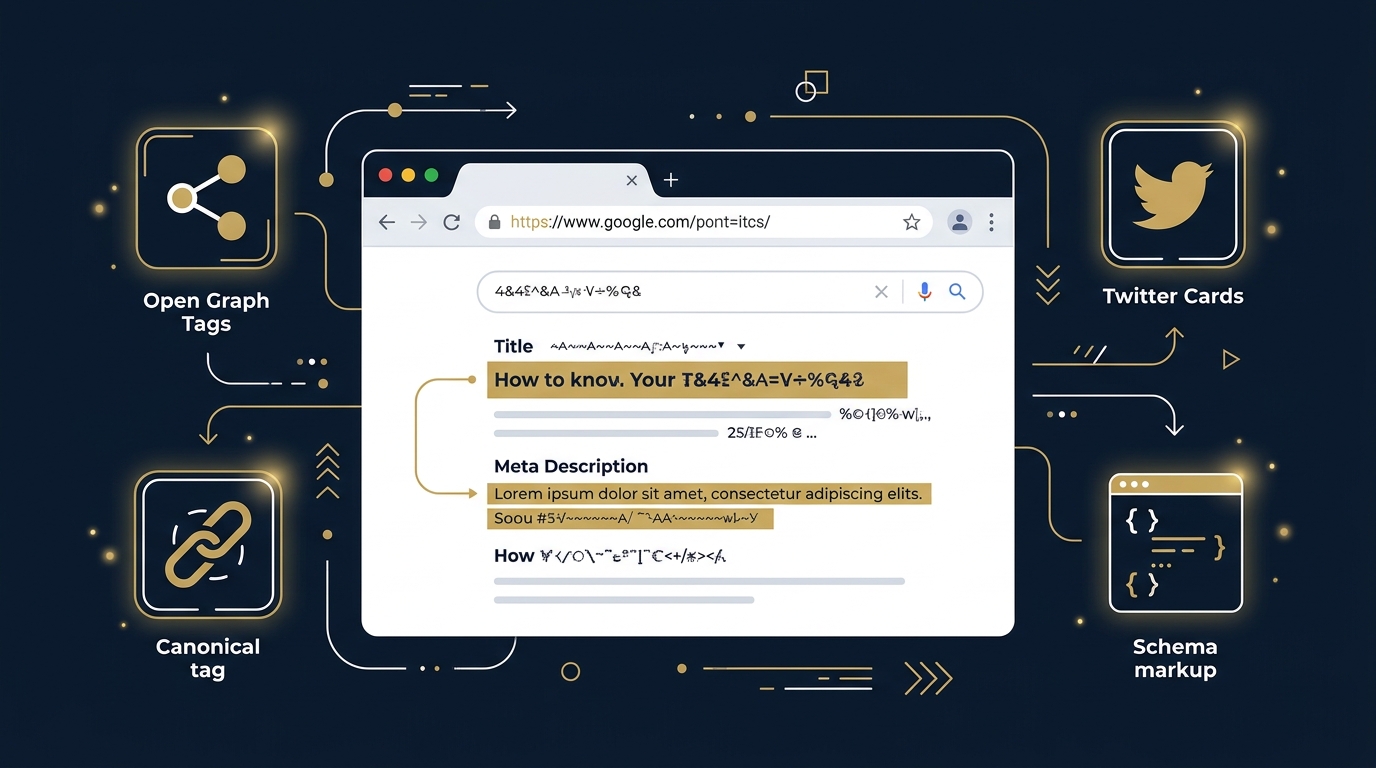
Your HTML <title> tag remains one of the single most influential on-page ranking factors and your primary billboard on the Search Engine Results Pages (SERPs). A masterfully written title tag commands organic click-through rates (CTR) while explicitly broadcasting your primary topic to search crawlers.
Follow these golden rules for title tag engineering:
- Keep Within Length Boundaries: Maintain your title between 50 and 60 characters (or under 580 pixels). Titles exceeding this threshold will be abruptly truncated with an ellipsis on desktop and mobile SERPs.
- Front-Load the Primary Keyword: Place your core keyword as close to the beginning of the title tag as grammatically possible. This reinforces relevance weighting for algorithms and captures immediate visual attention from searchers reading left-to-right.
- Guarantee 100% Uniqueness: Every page on your website must have a completely unique title tag. Duplicate title tags confuse search engines and dilute organic rankings across competing pages.
- Incorporate Compelling Value Hooks: Use powerful, credible modifiers—such as year markers (“2026”), quantifiable assets (“25-Point Template”), or geographic modifiers (“for UK Websites”)—to elevate CTR without resorting to sensationalised clickbait.
- Append Brand Consistency: Conclude your title tag with a clean brand separator (e.g.,
| Professional SEO Services).
4. Write Compelling Meta Descriptions
While meta descriptions do not function as a direct algorithmic ranking factor, they serve as your primary organic advertising copy. A persuasive, benefits-driven meta description drastically improves organic Click-Through Rate (CTR), driving higher referral traffic and signalling positive user intent satisfaction to search engines.
Adhering to proven seo metadata best practices ensures maximum SERP visibility:
- Stay Between 140 and 155 Characters: Keep your copy concise so it displays completely across mobile viewports (where character limits hover around 120–130) and desktop screens (~155–160).
- Include Primary and Secondary Keywords: When a user's search query matches words in your meta description, search engines highlight those matching terms in bold text, drawing the searcher's eyes directly to your snippet.
- Include a Clear Call-to-Action (CTA): Encourage decisive action with verbs like “Download our free template”, “Learn proven tactics”, or “Discover step-by-step guidance”.
- Match the Editorial Reality of the Page: Never mislead searchers. If your meta description promises a downloadable template or a pricing breakdown, ensure that asset is immediately accessible upon landing.
5. Structure Clean URLs
A clean, logical Uniform Resource Locator (URL) establishes permanent site taxonomy, builds user trust, and provides algorithms with contextual cues regarding page hierarchy. Cluttered URLs packed with dynamic parameters, random alphanumeric IDs, or redundant subfolders appear untrustworthy to users and introduce crawling inefficiencies.
Best practices for URL structuring include:
- Keep Slugs Short and Readable: Strip unnecessary stop words (such as “and”, “the”, “of”, “a”). For example, favour
/blog/on-page-seo-checklist/over/blog/2026/10/the-ultimate-complete-on-page-seo-checklist-for-beginners/. - Use Hyphens as Word Delimiters: Search engine crawlers interpret hyphens (
-) as spaces between words. Never use underscores (_), plus signs, or raw whitespace. - Maintain Lowercase Uniformity: Always enforce lowercase characters throughout your URL paths. Web servers can interpret uppercase letters as distinct directories, inadvertently triggering duplicate content issues.
- Include Your Primary Keyword: Embed your primary keyword naturally within the slug to reinforce topic relevance.
6. Use a Single H1 Tag
The <h1> HTML element represents the primary editorial headline of the page. While modern HTML5 specifications technically permit multiple H1 elements on a single document, search engine best practice unanimously recommends restricting each URL to exactly one single, authoritative H1 tag.
Having a single H1 provides clarity for search engine crawlers and screen readers alike. Your H1 should closely mirror the primary keyword while presenting a compelling, reader-friendly headline that immediately reassures visitors they have arrived at the definitive resource for their query. Keep in mind that while your <title> tag is crafted primarily for SERP click appeal within character constraints, your <h1> tag lives on the page and can be slightly more expressive and detailed.
7. Build Logical Heading Hierarchy (H2–H6)
Subheadings are the structural framework of your content. They transform dense walls of text into modular, scannable information hubs. For search engine algorithms, heading tags (<h2>, <h3>, <h4>) establish a clear semantic outline, allowing passage-ranking systems to understand the exact scope of every subtopic.
When structuring your document hierarchy:
- Follow Strict Numerical Nesting: Never skip heading levels for visual styling. An H3 must sit beneath an H2; an H4 must sit beneath an H3. If you want smaller text, use CSS classes rather than skipping from H2 to H4.
- Use Descriptive, Keyword-Rich Phrasing: Incorporate secondary keyword variations, LSI synonyms, and specific subtopics into your H2s and H3s naturally.
- Target People Also Ask (PAA) Queries: Phrase select H2 or H3 headings as direct questions (e.g., “What is the difference between on-page and technical SEO?”) and follow immediately with a clear, concise two-sentence answer to capture coveted Google PAA accordion spots.
8. Write Comprehensive, E-E-A-T-Driven Content
Google's Quality Rater Guidelines place immense emphasis on E-E-A-T: Experience, Expertise, Authoritativeness, and Trustworthiness. With the internet flooded by generic, automated AI content, search algorithms aggressively reward original, insightful, and verified human perspective.
To satisfy E-E-A-T criteria on every published page:
- Demonstrate Real-World Experience: Share original data, case study results, screenshots from actual client campaigns, and practical lessons learned from real-world testing.
- Provide Author Transparency: Include a verified author byline linked to an author profile showcasing legitimate industry credentials, professional history, and social profiles (such as LinkedIn).
- Prioritise Depth Over Fluff: Comprehensive content does not mean mindless wordiness. It means exhausting the topic: answering every logical follow-up question a user might have so they do not need to click back to the SERP to read a competitor's article. Explore our guide on building topical authority to learn how holistic content architectures outperform isolated blog posts.
9. Place Keywords Strategically
Where you place your target keywords matters just as much as which keywords you choose. Search engines give higher contextual weighting to words appearing in prominent HTML locations.
Apply the “First 100 Words” Rule: ensure your primary keyword (or a very close semantic variant) appears naturally within the first sentence or two of your opening paragraph. This immediately confirms topical relevance to both search engine crawlers and time-pressed human readers. In addition, ensure your keywords appear naturally across your URL slug, your H1 tag, at least two H2 subheadings, your introductory summary, image alt text attributes, and your concluding call-to-action.
10. Use Semantic Keyword Variations
Repeating the exact same phrase every fifty words is an antiquated tactic from 2005 that actively harms your rankings. Search algorithms penalise keyword stuffing, categorising repetitive, unnatural syntax as low-quality manipulation.
Instead, enrich your writing with diverse semantic variations and natural language synonyms. If your primary target is “on page seo checklist”, alternate naturally with phrases like “on-site SEO audit framework”, “page-level optimisation tips”, “content audit guide”, and “search engine optimisation best practices”. This approach broadens your search visibility, allowing a single high-quality page to rank for hundreds of long-tail keyword permutations while maintaining an effortless, professional reading flow.
11. Implement Internal Linking
Internal linking is the lifeblood of on-page architecture. Contextual hyperlinks connecting related articles on your domain distribute PageRank (link equity), establish topic cluster relationships, and guide visitors smoothly deeper into your conversion funnel.
Every comprehensive article should include 3 to 5 relevant, in-content internal links pointing to related pillar articles or commercial service offerings. Adhere strictly to these best practices:
- Use Descriptive, Specific Anchor Text: Never use generic anchor text like “click here”, “read more”, or “this page”. Use contextual, descriptive phrasing that tells both users and crawlers what the destination page covers.
- Establish Hub-and-Spoke Topic Clusters: Link subtopic spoke pages back up to their core pillar guide, and cross-link laterally between complementary spoke guides to reinforce domain-wide topical authority.
- Prevent Keyword Dilution: Ensure you link each target concept consistently to its designated canonical URL to avoid keyword cannibalization across competing blog posts.
12. Add Authoritative External Links
Some webmasters mistakenly hoard link equity, refusing to link outbound to external websites. In reality, citing reputable, high-authority external sources signals to search algorithms that your content is thoroughly researched, trustworthy, and firmly embedded within the broader academic and industry knowledge graph.
Include 2 to 4 outbound citations pointing to authoritative documentation, peer-reviewed research, official industry bodies, or official search documentation. To preserve security and manage link equity responsibly, apply rel="nofollow noopener noreferrer" target="_blank" on all external references.
13. Optimise Images
Unoptimised media assets are the number one culprit behind sluggish webpage performance, poor Core Web Vitals, and missed Google Image Search opportunities. Every image included on your page must be intentionally optimised for search engines, assistive accessibility technologies, and page loading speed.
Execute these image optimisation protocols:
- Craft Descriptive, Entity-Rich Alt Text: Provide accurate alternative text (
alt="") describing the exact visual content of the image while naturally integrating relevant keywords. This assists visually impaired users using screen readers and enables Googlebot to index your graphics in Image Search. - Convert to Next-Gen Formats: Modern formats like WebP and AVIF provide superior lossless and lossy compression compared to legacy PNG and JPEG formats, cutting file sizes by 30% to 70% without sacrificing visual fidelity.
- Compress Below 100KB: Compress all visual banners, diagrams, and inline assets so they remain lightweight (ideally under 100KB each).
- Specify Explicit Width and Height Dimensions: Always include
width=""andheight=""attributes in your HTML image tags to allow the browser to reserve the required layout space before the image loads, eliminating Cumulative Layout Shift (CLS). - Enable Native Lazy Loading: Apply
loading="lazy"anddecoding="async"to all images positioned below the initial viewport fold.
14. Add Schema Markup (Structured Data)
Schema markup (implemented via JSON-LD structured data) acts as a universal semantic translator between your webpage and search engine algorithms. It explicitly defines entities, article metadata, authorship credentials, FAQ items, how-to tutorials, and commercial product attributes in a standardised format that machines can parse unambiguously.
By integrating comprehensive structured data using the Schema.org vocabulary, you qualify your URL for eye-catching SERP rich snippets—such as expandable FAQ accordions, author trust badges, review star ratings, and breadcrumb navigation trails. In competitive search results, these visual enhancements substantially increase organic Click-Through Rates. Always validate your structured data using Google's official Rich Results Test before deployment.
15. Set Open Graph and Social Meta Tags
When professional peers, industry influencers, or potential clients share your article on social networks—such as LinkedIn, X (Twitter), Facebook, or messaging platforms like Slack and WhatsApp—how does your link appear? Without explicit Open Graph (OG) tags, platforms generate random, broken preview cards with missing thumbnails and distorted headlines.
To ensure pristine social presentation, configure the following meta properties in your document <head>:
og:title: A clean, attention-grabbing headline tailored for social sharing.og:description: A concise 1-2 sentence hook explaining the unique value of the guide.og:image: A crisp, branded featured image formatted to the recommended 1200 x 630 pixel aspect ratio.og:url: The canonical URL of the page.twitter:card: Set tosummary_large_imageto trigger full-width visual previews on X.
16. Configure Canonical Tags
A canonical tag (<link rel="canonical" href="..." />) tells search engines which version of a URL represents the master, authoritative source. Duplicate or near-duplicate content frequently arises organically through URL tracking parameters (e.g., ?utm_source=...), trailing slash variations, HTTP versus HTTPS protocols, and category pagination.
Every single indexable page on your website should feature an explicit, self-referencing canonical tag pointing to its clean, standardised URL. This prevents algorithmic confusion, consolidates link equity from third-party shares, and resolves dangerous instances of SEO cannibalization where duplicate versions of your content compete against each other in the SERPs.
17. Ensure Mobile Responsiveness
Google operates on 100% Mobile-First Indexing. The mobile version of your webpage is the sole version Googlebot crawls, renders, evaluates, and ranks. A desktop website that looks magnificent on an iMac but breaks on a smartphone will simply not rank in modern search.
Audit your mobile user experience rigorously:
- Verify the Responsive Viewport: Ensure your head section includes
<meta name="viewport" content="width=device-width, initial-scale=1.0">. - Enforce Touch Ergonomics: Ensure interactive navigation elements, buttons, and telephone links have adequate touch target sizing (at least 48 x 48 pixels) with generous spacing to prevent accidental taps.
- Prevent Horizontal Scrolling: Ensure data tables, embedded code blocks, and wide images are wrapped in responsive containers with
overflow-x: auto;so they never stretch the mobile screen beyond 100% viewport width.
18. Optimise Core Web Vitals
Google's Core Web Vitals (CWV) represent direct, measurable page experience ranking signals that evaluate speed, responsiveness, and visual stability. Failing Core Web Vitals thresholds creates a poor user experience and directly depresses organic ranking potential.
Focus on achieving “Good” scores across the three core metrics:
- Largest Contentful Paint (LCP): Measures perceived loading speed. Your main hero element must load within 2.5 seconds or faster.
- Interaction to Next Paint (INP): Measures page responsiveness to user input (clicks, taps, keypresses). All page interactions must respond within 200 milliseconds.
- Cumulative Layout Shift (CLS): Measures visual stability. Content must not unexpectedly jump or shift as assets load, maintaining a score below 0.1.
For an in-depth operational walkthrough on resolving render-blocking scripts, server bottlenecks, and layout shifts, explore our comprehensive technical SEO guide, and study the official Core Web Vitals documentation.
19. Improve Page Speed
Beyond Core Web Vitals, overall page speed and server responsiveness directly determine crawl budget allocation and user bounce rates. In commercial search, every additional second of loading latency slashes conversion rates by up to 20%.
Audit and accelerate your page loading pipeline:
- Minify CSS and JavaScript: Remove unnecessary whitespace, comments, and unused code blocks using minified asset files (e.g.,
styles.min.cssandmain.min.js). - Defer Non-Critical Scripts: Use the
deferorasyncattribute on non-essential JavaScript tags so the browser renders HTML and CSS without interruption. - Deploy Content Delivery Networks (CDNs): Cache assets on edge servers across the UK and Europe to deliver lightning-fast Time to First Byte (TTFB < 300ms) regardless of the visitor's geographic location.
- Enable Modern Compression: Ensure your origin server or CDN serves assets using Gzip or Brotli compression.
20. Enhance Content Readability
Searchers do not read web content the way they read academic textbooks; they scan in F-shaped and layer-cake patterns. If visitors encounter a monolithic wall of unbroken text, they immediately bounce back to Google, sending negative engagement signals to ranking algorithms.
Structure your copy for frictionless scanning:
- Keep Paragraphs Short: Limit paragraphs to 2 to 4 sentences maximum. Ample white space creates an inviting, accessible visual reading environment.
- Use Bullet Points and Numbered Lists: Whenever presenting three or more related items, steps, or data points, format them as structured lists.
- Bold Critical Concepts: Selectively bold key phrases, definitions, and takeaways so skimming readers instantly absorb your core insights.
- Select Accessible Typography: Use a minimum base font size of 16px with a generous line-height of 1.6 to 1.8 and high-contrast colour ratios to ensure readability across all devices.
21. Target Featured Snippets
Featured Snippets (commonly referred to as "Position Zero") occupy the coveted top position above traditional organic results, commanding high organic visibility and click share. Winning featured snippets requires engineering your content in formats that match Google's snippet extraction templates:
- Paragraph Snippets: Target definition queries by placing a concise, authoritative 40 to 55-word answer directly below an H2 or H3 heading that poses the target question. Use bold text to introduce the answer (e.g., “An on-page SEO checklist is...”).
- List Snippets: Target process, tutorial, or ranking queries by structuring sequential steps using clean ordered HTML lists (
<ol>) or comprehensive unordered lists (<ul>). - Table Snippets: Target comparison, pricing, or metric queries by presenting structured data in a semantic HTML
<table>with clear header rows (<th>).
22. Answer People Also Ask Questions
Google's "People Also Ask" (PAA) accordions appear in over 80% of modern search results. Mining these questions provides an exact, algorithmic roadmap of the specific secondary questions and informational gaps searchers experience when exploring your primary topic.
Incorporate 3 to 6 high-value PAA queries directly into your content architecture. Frame the exact question as an H3 subheading, followed immediately by an unambiguous, direct answer in the opening two sentences. Afterward, expand into deeper context, industry nuances, and actionable advice. This dual structure serves human readers seeking quick clarity while offering AI extractors the exact modular answer blocks they seek.
23. Add Table of Contents
For comprehensive, long-form guides spanning 2,000 to 5,000 words, a structured Table of Contents (TOC) is an essential on-page element. A prominent TOC with clickable jump links (using HTML anchor hash IDs like href="#item-1-keyword-search-intent") significantly enhances user experience by allowing readers to navigate straight to the exact section they need.
Furthermore, structured anchor links provide significant technical SEO advantages. Google's mobile crawlers parse anchor jump links and frequently display them directly within organic SERP snippets as clickable “Jump to” sitelinks, expanding your search result footprint and capturing incremental click-throughs.
24. Optimise for AI Search and LLMs
Search behaviour has fundamentally expanded beyond traditional ten blue links. Modern searchers increasingly consume information synthesized by Google AI Overviews, Perplexity, ChatGPT Search, and Claude. To succeed in this era of Generative Engine Optimization (GEO), your on-page content must be deliberately engineered for machine retrieval.
Large Language Models and Retrieval-Augmented Generation (RAG) pipelines retrieve content in modular chunks. To ensure your brand is cited and linked as a primary source:
- Write Modular, Answer-First Passages: Open each section with an unambiguous, factual statement that answers the core query before branching into elaboration.
- Use Explicit Entity-Attribute Relationships: Clearly state facts using subject-predicate-object sentence structures (e.g., “Largest Contentful Paint (LCP) is a Core Web Vitals metric that measures perceived loading speed...”).
- Incorporate Structured Data & Data Tables: RAG models parse structured tables and JSON-LD schema with much higher retrieval accuracy than ambiguous narrative text. For additional insights on monitoring crawler discovery and indexing diagnostics, consult the official Google Search Console guide.
25. Verify Analytics and Search Console
Flawless on-page optimisation is meaningless if you cannot track its organic impact. The final, non-negotiable step in your audit checklist is verifying that your measurement infrastructure is tracking cleanly.
Confirm that your Google Tag Manager (GTM) container fires properly and that Google Analytics 4 (GA4) logs page views, scroll depth thresholds (50%, 75%, 90%), and conversion actions. Immediately upon publishing or updating a URL, open Google Search Console, submit the address to the URL Inspection Tool, and verify that there are no crawling, rendering, or mobile usability errors. Finally, click “Request Indexing” to invite Googlebot to re-evaluate your optimised page without waiting weeks for organic re-crawl cycles. To dive deeper into KPI tracking and attribution models, review our operational guide on how to measure SEO performance.
Download Your Free On-Page SEO Checklist Template
To help your marketing and development teams operationalise this 25-point framework across every URL on your domain, we have compiled the entire system into a lightweight, customisable SEO checklist template. This CSV template includes clear categorisation, strategic priority ratings (High vs Medium), status tracking checkboxes, and actionable audit notes for every single item.
Download Your Production-Ready Audit Template
Save hours of manual QA. Import our interactive CSV template directly into Microsoft Excel, Google Sheets, or Notion to standardise on-page optimisation across your entire organisation.
Download Free SEO Checklist Template (CSV)Review the complete 25-point audit template below. Every item represents an essential quality check before declaring a webpage fully optimised:
On-Page SEO Best Practices for UK Websites
Executing on-page SEO within the United Kingdom requires a specialised understanding of domestic searcher expectations, legal compliance frameworks, and local search engine algorithm adaptations. A generic strategy built for North American search patterns will underperform on google.co.uk.
When auditing websites targeting British searchers, adhere to these essential regional best practices:
- Consistent British English Spelling: Always use British English orthography across editorial copy, headings, and metadata. Algorithms readily detect dialect mismatches, and UK consumers disengage when confronted with Americanised spellings. Enforce “optimise” rather than “optimize”, “behaviour” rather than “behavior”, “categorise” rather than “categorize”, and “programme” rather than “program”.
- Domain Architecture: .co.uk vs .com: A
.co.ukcountry-code top-level domain (ccTLD) provides an inherent geo-targeting signal to Google UK, establishing immediate domestic trust. If your brand operates on a generic.comor.iodomain, configure explicit regional targeting signals through UK-localised contact details, telephone numbers (+44), and GBP currency pricing. - UK GDPR & PECR Cookie Compliance: Websites operating in the UK must comply with the UK Data Protection Act, UK GDPR, and the Privacy and Electronic Communications Regulations (PECR). Ensure that cookie consent banners do not block critical CSS/JS rendering, do not cause Cumulative Layout Shift, and respect user privacy without penalising bot crawls.
- Local Entity Schema: For UK businesses with physical locations, implement comprehensive
LocalBusinessschema specifying valid Royal Mail postcodes, official county nomenclature, geographic latitude/longitude coordinates, and VAT registration identifiers. - Google UK SERP Feature Alignment: Google UK frequently displays distinct Knowledge Graph panels, localized Google Maps Local Packs, and UK-specific shopping carousels. Align your commercial on-page content with these rich snippets to capture regional organic visibility.
- Digital Accessibility Standards: Ensure full alignment with international WCAG accessibility guidelines, verifying accessible font contrast ratios, screen-reader navigation hierarchies, and descriptive alt text attributes.
Common On-Page SEO Mistakes to Avoid
Even seasoned marketing teams often fall victim to subtle on-page mistakes that suppress organic rankings. As part of your regular audit workflow, systematically inspect your URLs for these eight pervasive pitfalls:
✖ Keyword Stuffing
Forcing the exact same target keyword into every heading and paragraph creates awkward, unreadable prose that triggers modern algorithmic spam filters. Aim for comprehensive entity coverage and natural reading cadence.
✖ Duplicate Title Tags
Using identical or boilerplate title tags across multiple URLs confuses search engines, splits organic click equity, and causes pages to cannibalise each other in the SERPs.
✖ Missing or Vague Alt Text
Leaving alt text blank or relying on generic file names like image1.jpg undermines accessibility for visually impaired readers and forfeits valuable rankings in Google Image Search.
✖ Orphan Pages
Publishing high-quality content without connecting it to your existing site architecture via contextual internal links leaves the URL isolated, depriving it of PageRank and crawl frequency.
✖ Thin, Surface-Level Content
Producing 400-word articles that regurgitate dictionary definitions without providing unique data, original frameworks, or practical takeaways triggers Google's Helpful Content penalties.
✖ Neglecting Mobile Experience
Failing to test responsive layouts, crowded touch targets, or intrusive modal overlays on mobile viewports destroys user engagement and tanks performance under Mobile-First Indexing.
✖ Missing or Invalid Schema
Deploying pages without structured JSON-LD data forfeits eye-catching rich snippets on search result pages and denies AI crawlers clear entity-attribute mappings.
✖ Broken Internal Links
Retaining outdated hyperlinks pointing to 404 error pages or complex redirect chains wastes crawl budget, frustrates visitors, and bleeds internal link equity.
Frequently Asked Questions
Here are direct, authoritative answers to the ten most frequent questions asked by digital directors, marketing managers, and webmasters regarding on-page SEO audit execution:
What is an on-page SEO checklist?
An on-page SEO checklist is a structured, step-by-step audit framework that ensures every webpage satisfies search engine ranking algorithms and user experience standards. It systematically guides webmasters through content intent, HTML metadata, heading structure, keyword placement, internal links, media optimisation, Core Web Vitals, and structured schema markup.
How often should I perform an on-page SEO audit?
You should audit top-performing and high-priority commercial pages quarterly to maintain rankings against algorithmic shifts and competitor updates. New content should be audited against the checklist prior to publishing, while an exhaustive sitewide on-page review should be conducted every six to twelve months.
What are the most important on-page SEO factors in 2026?
In 2026, the most decisive on-page factors are strict search intent alignment, demonstrable first-hand E-E-A-T depth, natural entity and semantic relationship mapping, passage retrieval optimisation for AI engines, fast Core Web Vitals (sub-200ms INP and sub-2.5s LCP), contextual internal linking, and structured JSON-LD schema markup.
Is on-page SEO enough to rank in Google?
On-page SEO is foundational but rarely sufficient on its own for competitive commercial terms. While on-page optimisation establishes precise topical relevance and search intent eligibility, high-difficulty queries also require off-page domain authority (earned backlinks, brand citations) and sound technical site architecture.
What is the difference between on-page and technical SEO?
On-page SEO concentrates on individual URL elements that influence relevance and user satisfaction—such as editorial copy, heading hierarchy, keyword placement, meta tags, and internal link context. Technical SEO deals with sitewide infrastructure—such as server response times, XML sitemaps, robots.txt directives, JavaScript rendering, crawl budget, and canonicalisation protocols.
How do I optimise meta tags for SEO?
To optimise meta tags, keep title tags under 60 characters (approximately 580 pixels), front-load your primary target keyword, add an engaging value hook, and append your brand name. Meta descriptions should stay between 140 and 155 characters, include primary and secondary keyword variations naturally, convey a distinct value proposition, and incorporate a clear call-to-action.
What are the best SEO practices for UK websites?
Best practices for UK websites include writing in consistent British English spelling (e.g., optimise, behaviour, categorise), configuring UK-specific LocalBusiness schema with valid British postcodes, hosting on UK-based servers or edge CDNs, ensuring compliance with UK GDPR and PECR cookie regulations, and aligning targeting with UK search intent and currency (£ GBP).
How does on-page SEO affect AI search results?
On-page SEO directly powers AI search retrieval (such as Google AI Overviews and ChatGPT search) by formatting content into concise, modular, answer-first passages. Clear heading hierarchies, explicit entity-attribute definitions, factual bullet points, and JSON-LD structured data enable Retrieval-Augmented Generation (RAG) models to parse, extract, and cite your page as a primary source.
Should I use a checklist template for SEO audits?
Yes, using an on-page SEO checklist template eliminates human error, ensures cross-team consistency between content writers and developers, standardises quality assurance workflows, and prevents critical elements like image alt tags, canonical tags, or mobile touch ergonomics from being overlooked.
How long does it take to see results from on-page SEO?
Initial indexing adjustments and impression gains can be observed within 3 to 14 days following Googlebot's re-crawl of the optimised URL. Significant organic ranking improvements, click growth, and conversion uplifts typically materialise within 4 to 8 weeks as search algorithms re-score semantic relevance and user engagement signals.
Conclusion: Turn Every URL Into an Organic Growth Asset
In an era dominated by rapid algorithmic updates and AI-driven answer engines, on-page SEO remains the indispensable foundation of organic digital growth. By treating on-page optimisation not as an afterthought, but as a disciplined, 25-point quality assurance framework, you ensure that every webpage you publish serves as a resilient, high-converting asset that compounds authority over time.
Start by downloading our free CSV audit template to benchmark your current priority pages. Identify your highest-traffic URLs, audit them against our 25 criteria, and address critical gaps in search intent alignment, structured data, and Core Web Vitals.
If your organisation is ready to dominate high-competition search landscapes, partner with our senior organic search strategists. Discover our bespoke, end-to-end on-page SEO service, or explore how Professional SEO Services architects comprehensive digital transformation strategies that generate measurable commercial returns for UK enterprises.